
ZPE Programming Environment has been my main project for over 11 years now, and it's so solid, so fast, and so feature-rich. As a result, I want a new programming language project and that new language is Zpeedy Script.
Zpeedy Script was first conceptualised in June and had been sitting for months with little work done until a few days ago. It uses the ZPE core, ensuring it runs fast, requires minimal development, and is well integrated with the YASS programming language. Zpeedy Script is incredibly descriptive, and code reads almost like a sentence. In my opinion, this will make it a bit more difficult for seasoned programmers to learn, but I've got plans to allow YASS to be included as well, and since YASS reads like many other languages, it should be really easy to mix the languages.
Below is an example of Zpeedy Script:
// Zpeedy Script language showcase
display "Zpeedy Script showcase"

// Public routines, parameters, calls and returned values
routine displayGreeting takes person
  display person

routine double takes number
  give back number * 2

routine add takes firstNumber, secondNumber
  give back firstNumber + secondNumber

call displayGreeting with "Jamie"
set doubledByRoutine to call double with 10
set totalFromRoutine to call add with 10, 20
display doubledByRoutine
display totalFromRoutine

// Values, variables, lists and arithmetic
set name to "Jamie"
set enabled to true
set missingValue to nothing
set unknownValue to unknown
set startingNumber to 5
set doubledNumber to startingNumber times 2
set increasedNumber to doubledNumber plus 3
set calculatedNumber to increasedNumber minus 1
set animals to ["Dog", "Cat", "Fox"]

display name
display enabled
display missingValue
display unknownValue
display calculatedNumber
display animals

// Indentation-based conditions
if calculatedNumber is greater than 20 then
  display "The result is greater than twenty"
alternatively if calculatedNumber is at least 12 then
  display "The result is at least twelve"
alternatively if calculatedNumber is not 12 then
  display "The result is not twelve"
otherwise
  display "The result is twelve"

// Cached value selection
set colour to "amber"
set instruction to choice based on colour
  "red" gives "Stop"
  "amber" gives "Wait"
  "green" gives "Go"
  otherwise gives "Unknown colour"
display instruction

// Statement selection
when colour
  is "red" then
    display "Stop"
  is "amber" then
    display "Wait"
  is "green" then
    display "Go"
  otherwise
    display "Unknown colour"

// Boolean value selection
when enabled
  is true then
    display "The program is enabled"
  is false then
    display "The program is disabled"

// Iterate over every list value
for every animal in animals
  display animal

// Conditional loop
set counter to 0
loop while counter is less than 3
  display counter
  set counter to counter plus 1

// Fixed repetition
repeat 2 times
  display "Repeated"

// An indefinite loop can be stopped explicitly
repeat forever
  display "The forever loop ran once"
  stop loop

// Protected execution with an error-message handler
attempt
  display "The attempted operation succeeded"
otherwise on error message
  display message

display "Showcase complete"
Back when I was at school, especially during Higher and Advanced Higher Computing, my teacher (who is also now my colleague) inspired me to use mind maps. Throughout my own time going through education, my undergraduate Computer Science, my PHd and my Post-Graduate Diploma in Education (PGDE), I have used mind maps in one way or another.
I was initially familiar with Mind Genius and obtained a copy from Heriot-Watt when I started my undergraduate degree. Whilst I found my undergrad easy enough and second nature, some elements of it were not. Particular areas around mathematics in computer science were the key points where I struggled. Mind-mapping the key ideas was really useful for revising and understanding the issues I might have.
Anyway, fast-forward twelve years, and I'm teaching and finding that mind maps are a great resource to help pupils, just as they did for me. However, I'm limited.
So this is where it gets fun. Three or four weeks ago, I was making my final preparations to present my practitioner enquiry, which focused on recalling key information. My main focus here was using mind maps to help pupils recall information from what they already know before we start a new unit of work. I had been using draw.io for making mind maps and found it's very powerful, but not specific enough for anything - it's more of a UML application than anything.
So, as I do with most things, I decided to break the wheel. And then reinvent it.
What I mean is, meet Balf Mind Map. It's free, no data is collected, and no login is required, which is crucial for schools.

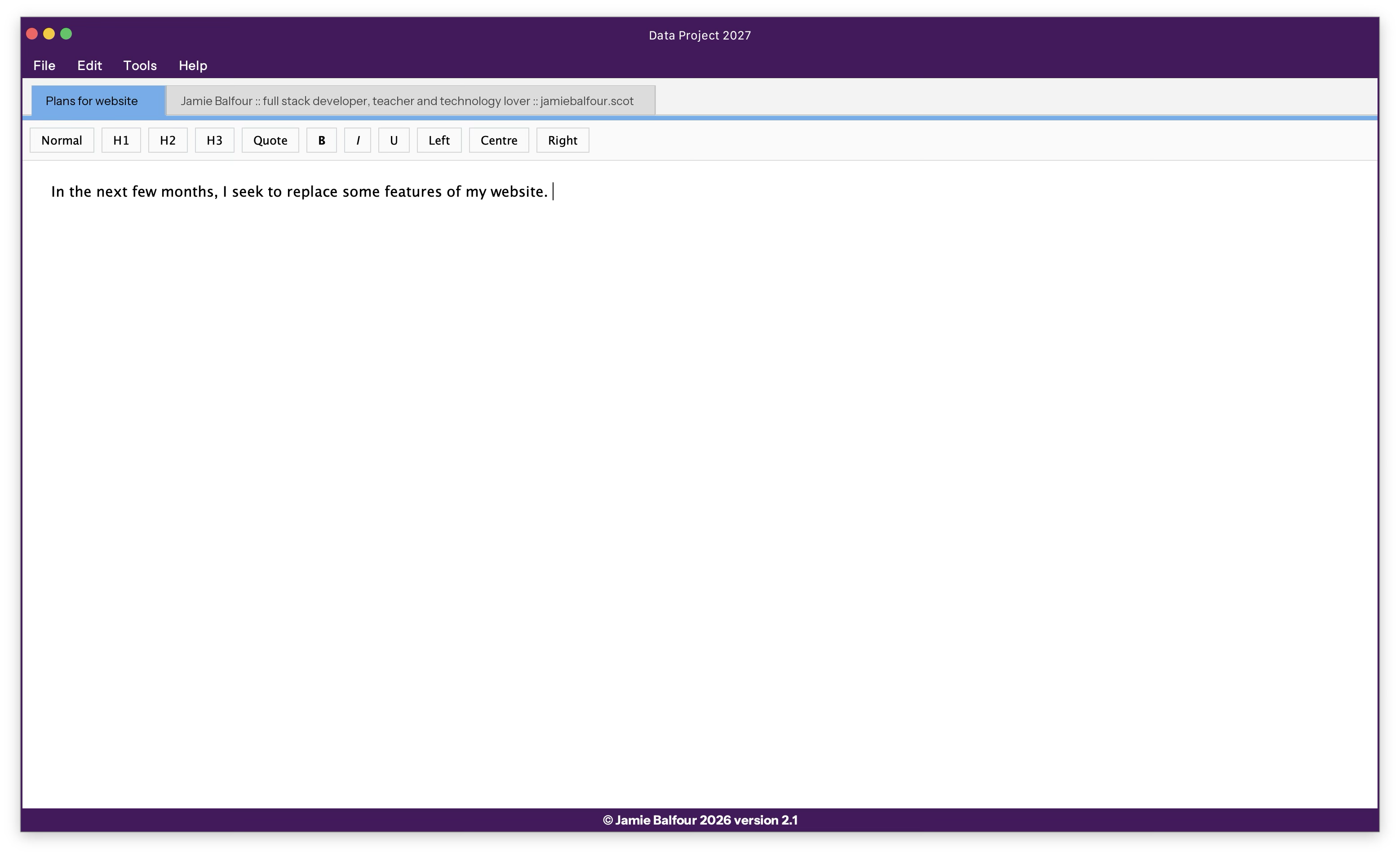
After 19 years, I've finally decided to revive one of my oldest projects, Data Project. Data Project started in 2007/08 as part of my FusionScape Ultra Edition. Eventually, it became a separate program.
The purpose of Data Project was to give you a single place to store things like research, documents, files, videos, pictures, etc., and to provide a very convenient way to transfer files. Data Project was originally written in a combination of VB.NET and C#.NET (the former since I started in VB.NET, but learned C# halfway through the development of Data Project).
Data Project was built alongside three other major projects: Painter Pro, Wonderword, and Cobweb, and it utilised components from each of them through my cleverly designed Balfour's Business Class Library.
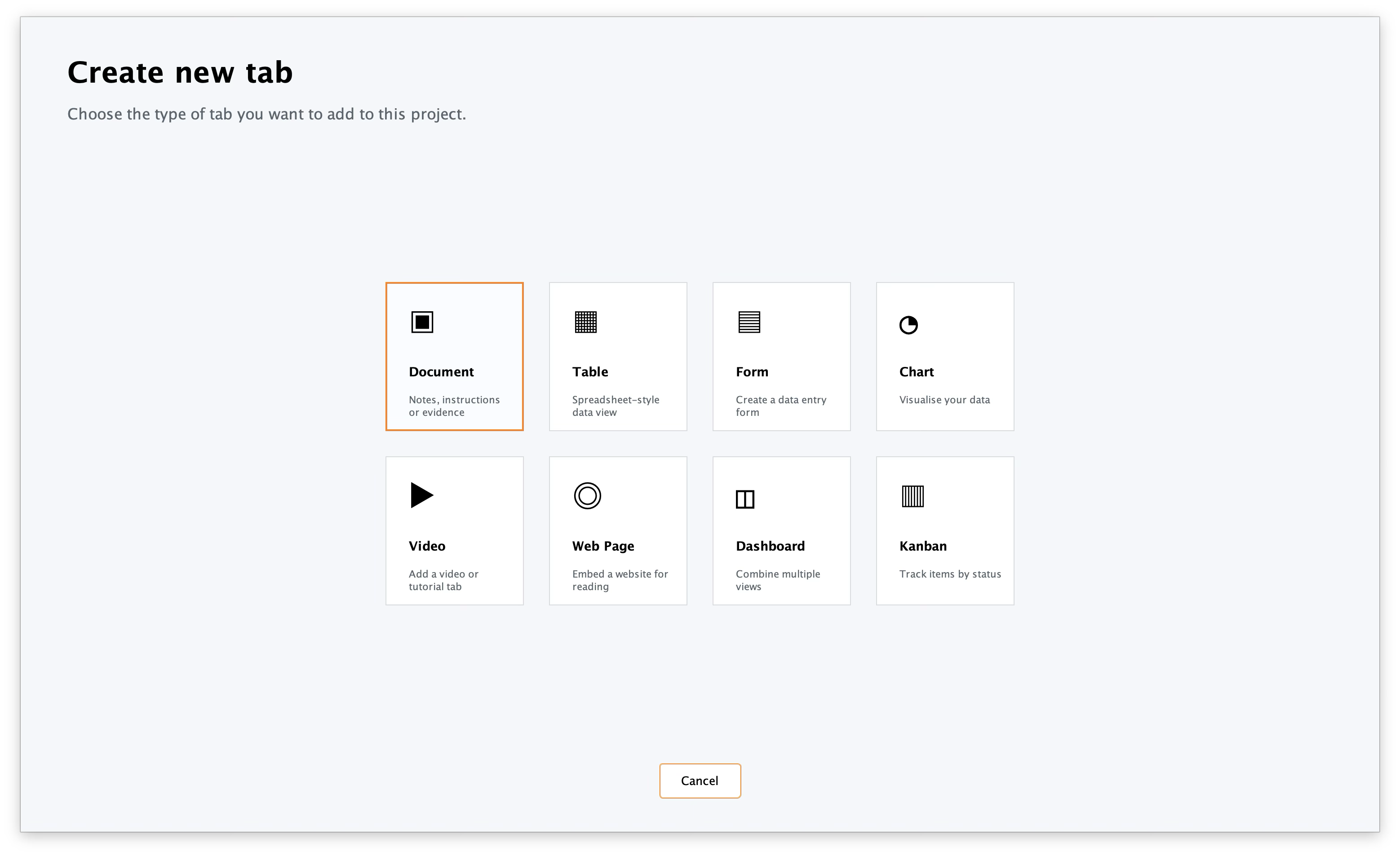
Anyway, enough history. The new version, version 2027 (or version 2.1), is designed from the ground up with the same concept. It's built in Java this time for both cross-platform compatibility and to use my Macro Editor feature in ZPE. It's already taking shape, too, thanks to BalfLaf, which has revolutionised the way UIs are developed.
eTraxion has been left on the back burner for a while since VWS and ZIDE have taken the front stage. VWS is now in a very mature state, and ZIDE is progressing very quickly, too. eTraxion deserves some love.
I was asked this week to take over some systems for the school. But I suggested that, instead of using spreadsheets and databases built with Microsoft Access to do this, we move to a system that is dependable, reliable, efficient, and flexible. I suggested I build the system from scratch. Anyway, one of the systems to be built is a whole-school report generator, where teachers will choose their comments and the system will generate the reports for them. I stated I already had this with eTraxion and that it was nearly ready for launch.
As a result of this meeting, I have decided to continue to work on eTraxion, bringing ZPE 1.14.5 to it and expanding its features.
The latest version of eTraxion is version 1.1.4, and it will be available very soon.
The focus on ZPE's UI has been a significant part of ZPE's development over the last few weeks. ZPE UI is powered by BalfLaf (which is also built into ZPE). This means that to improve the UI, BalfLaf also needs to be improved. There are several key areas that will be focused on for improvement over this time:
- new controls
- better support for border-radius
- additional events for existing controls
BalfLaf turned 1 year today - I didn't even know until I decided this evening to have look and see when I started it and realised it was the 17th of April 2025: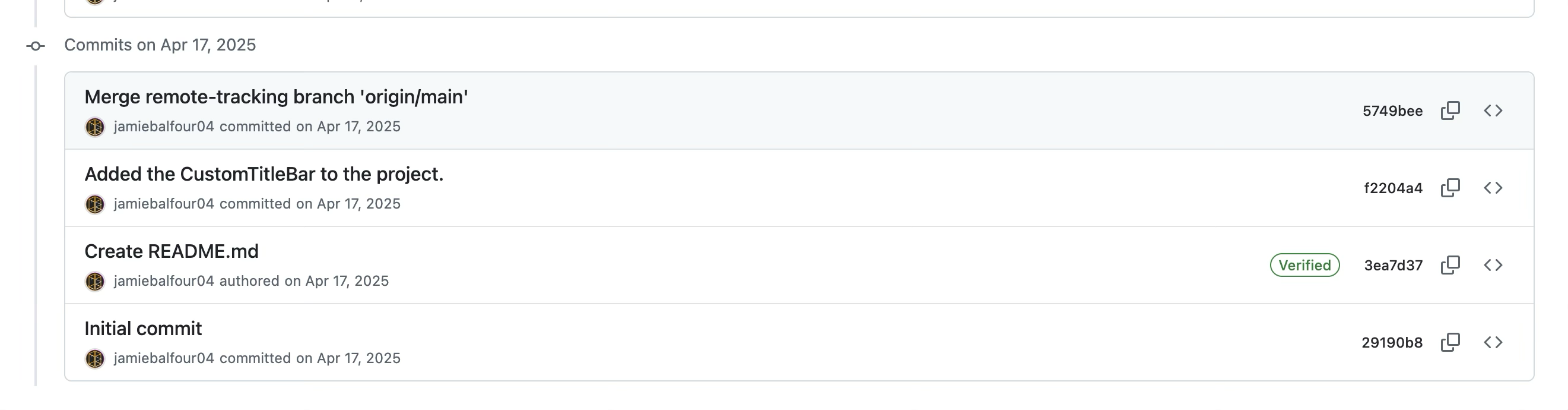
As the title says, I'm now actively working to improve Velocity Web Server and make it better than before. And over the last few weeks of development, I can happily say that it's already on track for massive improvements.
This week's updates include the addition of cookies, session variables (which run in memory, not storage), post and query string parameters, built-in Python web handling, TLS, and much tighter integration with ZPE/YASS through the YASS Web Page (YWP) standard.
Not only that, but VWS is fast, portable and very easy to use.
A simple java -jar vws.jar --install command installs VWS, similar to the command in ZPE 1.14.4, so you can then just run VWS with vws. And running VWS is as simple as vws -p portNumber. Simple. TLS will be improved further in the next few versions, but you can already enjoy it in version 1.1.
VWS can now also be embedded as a server in a Java project, handling all the heavy lifting of a web server.
Future versions aim to have a JavaScript and TypeScript runtime to support running JavaScript backends, new routing support, virtual addresses and so much more, it's on route to being a really powerful web server.
Do you remember what you were doing 20 years ago right now? Probably not. But I do remember 20 years ago, at this point, I was learning to program for the first time.
My first project was FusionScape (at the time it was called Doors). It was what I called a Desktop Replacement Interface Program (DRIP). FusionScape was awesome; it was well-received and liked, but it was bloated and challenging to maintain. You see, all of the programs built into it had to be updated at the same time. I then decided to separate FusionScape into separate programs. These programs were:
- Autorun Express
- Data Project (a notebook-like program that was designed for project records)
- Cobweb Internet Browser (a web browser with so much more than Internet Explorer or even Firefox at the time)
- Painter Pro (my bitmap and vector graphics editor, and the longest-lived of all of these programs)
- Quick Quiz
- Record Checker
- Tutorial Master
- Wonderword
- VUEBB
Development on Autorun Express was stopped in 2006 when I decided it didn't need anything more and was pretty complete. Data Project development continued until about 2008 or early 2009. Cobweb was in late 2009. Painter Pro was somewhere in early 2010, but I did pick it up again in 2017 until 2018. Quick Quiz was stopped in 2008. Record Checker was in 2009. Tutorial Master was also in 2008. Wonderword was in early 2009, and VUEBB was in late 2008.
Painter Pro was, by quite a long shot the longest lived of them all. Cobweb received updates for a long time, too, but Painter Pro was my baby. It was powerful and had so many features that no other editors had back then.
All of my software back then was powered by Balfour's Business Class Library, a class library of tools and features for the .NET platform. It featured controls like Painter Pro's drawing platform, Wonderword's rich-text editor, and Cobweb's Yorkshire Hill browser, which was an extended version of the Trident engine. It actually meant that the software itself, like Painter Pro, was just a graphical extension of the class library, providing access to its features. It was a powerful way to enable direct interoperability between the software. For example, Wonderword could use Painter Pro's drawing features, and Painter Pro could use the Cobweb Yorkshire Hill browser when necessary.
Wonderword, as feature-rich as it was, never reached the point I wanted it to. I'd always dreamed of writing a page control that had proper pages like in Microsoft Word. That never happened and was the main reason Wonderword development stopped in 2009.
Wonderword was always my dream. I always wanted to make it into a full-on word processor. It featured so many things that weren't really even in existence back then, and the bookmarking system was absolutely brilliant.
Now...
And, after all these years, I'm finally revisiting Wonderword. However, as my ZPE Programming Environment, eTraxion, BalfLaf, and more are now written in Java, it's time for me to bring Wonderword to Java with a new philosophy.
I am exceedingly proud to announce that for the last two days, I have been redeveloping Wonderword from the ground up in Java. The paged view was built with the help of AI to speed up development. I will be bringing so much more to Wonderword over the next few weeks, but for now, it's got all that you'd expect from a simple word processor, including the ability to save in DOCX format and text formatting and bookmarks.
My plan is this: make it more useful than before, whilst making it fully interoperable with other software and file formats. I'm also looking at bringing the WUX2 file format to it, which will be based on the same concept: a broad file format with 'Data Channels'. The following is a list of features I aim to bring to it over the next few weeks:
- Opening of DOCX files
- Macros written in YASS
- More formatting options
- Named bookmarks
- Headers and footers
- Locked view (set by the file itself)
- WUX2
- Tables
- AI dictation mode
- Printing support
- Image support
- Shapes
- Built-in Pixabay embedding
- Links
- Styles
- Page breaks
- Mail merging
- Converting to HTML
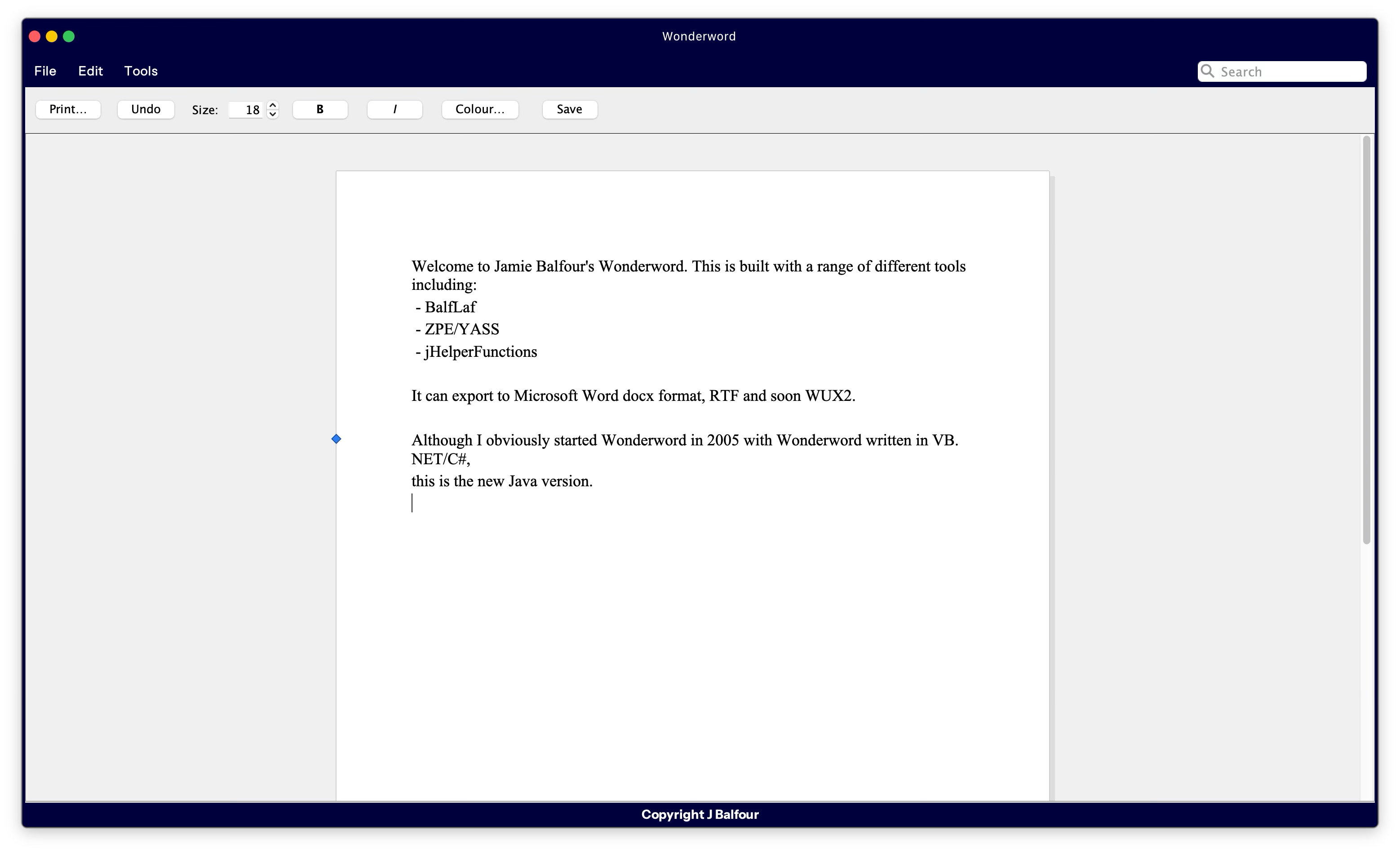
Here's a little screenshot of it after a day's development:
Simply put, the Wikipedia page on ZPE has been taken down. The page, initially started by me, had other contributors but apparently didn't have sufficient coverage; therefore, someone decided to remove it.
As a result, I will no longer be supporting Wikipedia - I have donated £20 from time to time, and now I feel it's a waste of money. I will no longer be doing this, nor will I flag things that I spot across the website.
Consistent DragonDocs auto-marking is finally here. And it's brilliant, even if I may so myself.
In late 2023, I added auto-marking, but it was on an assessment-by-assessment basis. So, it wouldn't be consistent and would vary slightly for each person.
The latest version I've built today now works consistently, but requires the teacher or administrator to tell the system to mark all of them simultaneously.
I'm seeking to create a free online system for creating your own DragonDocs in the next few months, and auto-marking would be part of this, too.
Version 1.1.1 is a fully featured release, packed with powerful tools designed to make generating reports easier, faster, and more flexible than ever before.
jbTAR is perfect for anyone who needs to build professional reports using spreadsheet-style input. It provides:
- Fast Report Generation: Quickly create high-quality reports from table data.
- Highly Customisable Columns: Supports plain text, dropdown lists, and mapped values to make data entry easy and standardised.
- Flexible Output: Generate complete, personalised Word documents based on your data with automatic placeholder replacement.
- Easy-to-Use Interface: Simple spreadsheet-style editing with the ability to easily add, remove, and modify rows and columns.
- Smart Templates: Design your own Microsoft Word templates with simple placeholders — no technical knowledge required!
- Quick Actions Panel: Add or remove rows instantly and jump straight into a live preview of your report.
- Cross-Platform Support: Built with Java, jbTAR runs seamlessly on Windows, macOS, and Linux.
Coming soon with version 2:
• Dark Mode: Work comfortably in dark environments with full dark mode support.
• Auto-Saving and Backup: Protect your work with built-in auto-save options and file backup prompts.
• Customisable Settings: Tweak fonts, colours, and more to suit your working style.
• Advanced Filtering: Filter multiple rows and columns to find and edit your data more easily.
Whether you’re building school reports, business summaries, client feedback forms, or anything else, jbTAR makes the process effortless.
Download version 1.1.1 today and start building better reports with less hassle!
