
Zettlab, a company I had never heard of, began making waves on Facebook early in its Kickstarter campaign for a new AI-powered network-attached storage (NAS) device. The project made me consider my own setup. After backing a few disappointing Kickstarters in the past, I was cautious about investing. Still, it was exciting to think it might become a reality, so I decided to back it, first pledging for the D4, then updating my pledge to the D6. Fast-forward a year, and it finally came to fruition: my NAS arrived in early October.
There is a lot to say about this device, and I want to analyse its claims against the reality of the device itself. It is also worth noting that I did not want to get the Ultra due to its power consumption, and I did not see myself using it for any of the reasons someone would choose the Ultra over the standard models. That is not to say that I had not considered it, because there was a part of me ready to put down the extra money to upgrade from the D6 to the Ultra. Still, ultimately, the Rockchip chip would use considerably less power than the Intel Core 5 in the Ultra, and this was a significant consideration for me.
Before this NAS, I had owned a NAS and depended on it heavily until I eventually switched to using Dropbox for everything. The reason behind this, back in those days, was backup: my solution did not have an easy way to back it up. With my recent shift towards making everything local and independent of the cloud, Dropbox, sadly, had to go.
But just how good a choice was this? In this review, I will discuss my experience with this device so far.
Design
Starting with the design, I have to say that very few other NAS devices I have tested or seen match its physical quality. Made from solid aluminium, the outer enclosure is well-built and sturdy, helping keep the system cool.
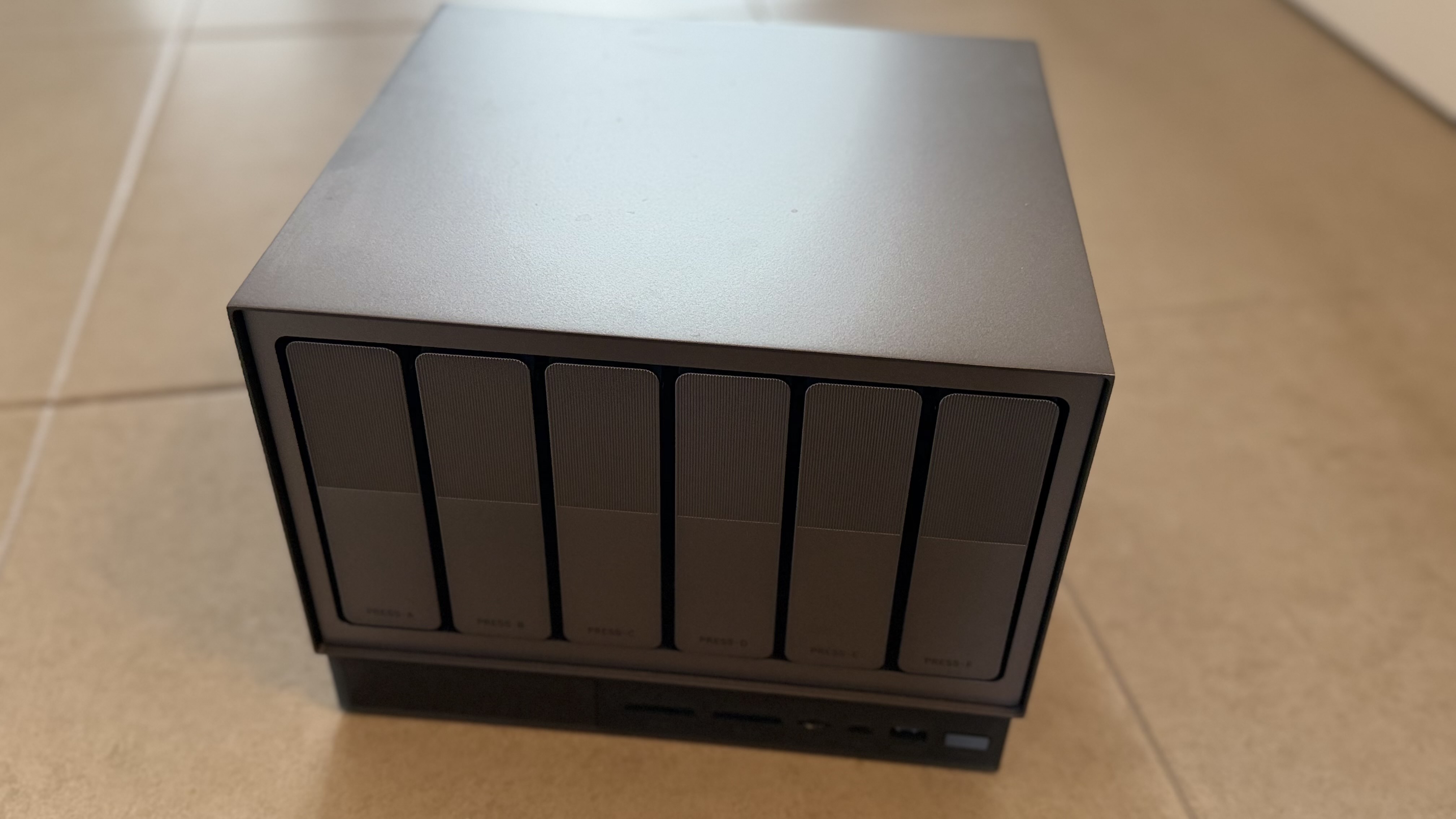
The NAS is built from aluminium, making it sturdy and able to transfer heat easily.
Replacing the drives in the system is straightforward: there are six drive bays, each with a SATA connector. There is no risk of the connection not being made when the drive is inserted into the drive bay and slid in, as the rail system ensures the drives fit perfectly. The system is consistently fairly cool. Given that it only has a Rockchip CPU, I would have expected that. With the Intel CPU, that might not necessarily have been true, and it might get fairly warm compared to this version. That was, in part, the reason I chose the non-Ultra model.
Throughout the NAS chassis, you will find a range of connectivity options, from USB 3.0 ports and SD card support to 2.5GbE. All in all, the system is rather well stocked with connectors. If you choose the Intel version, you will find more options, including an SFF connector and 10GbE. 2.5GbE is absolutely fine for me, given my network is only on 2.5GbE at present.
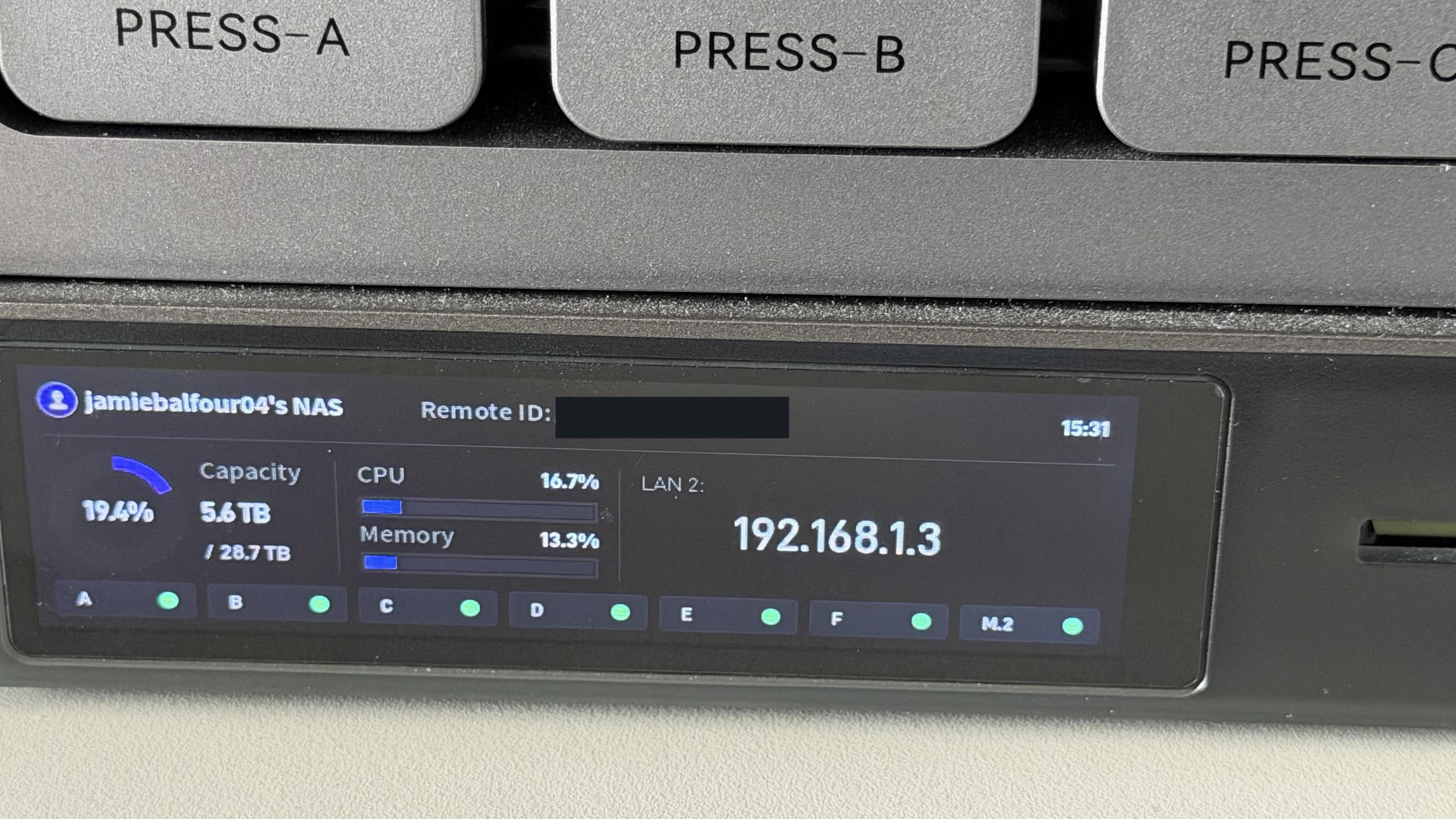
The front of the NAS features a small display that shows key information about it.
Setup and Initial Configuration
Setting up a NAS can often be the point where excitement turns into frustration. Thankfully, the initial setup process for the Zettlab D6 was mostly straightforward. Once the drives were installed and the device was connected to the network, I was able to begin configuring the system without too much difficulty.
The process was not perfect, but it was clear enough that anyone with some basic technical confidence should be able to get started. One issue I encountered was getting RAID to work on my drives - it took three or four attempts before it accepted the configuration and went with it.
My expectations for the setup process were mixed. On the one hand, this is a modern NAS with considerable ambition. On the other hand, it is also a Kickstarter-backed product from a company that does not yet have the long track record of brands such as Synology, QNAP, or UGREEN. Zettlab delivered.
The setup process involved the usual steps: installing the drives, connecting the NAS to the network, finding it on the network, creating the first user account, and configuring the storage pool. From there, I was able to begin exploring the interface and deciding how I wanted to use the device.
For my setup, I configured my drives in RAID 6, reducing my 48TB of storage to 29TB, which is still a considerable amount of storage!
I will end this section with a key point: this NAS is new, the software will improve, and thus the configuration will improve.
Storage and Drive Management
Storage management is the heart of any NAS, and this is one area where the D6 needs to feel reliable. The six-bay design gives plenty of flexibility, whether the aim is maximum capacity, redundancy, or a balance between the two.
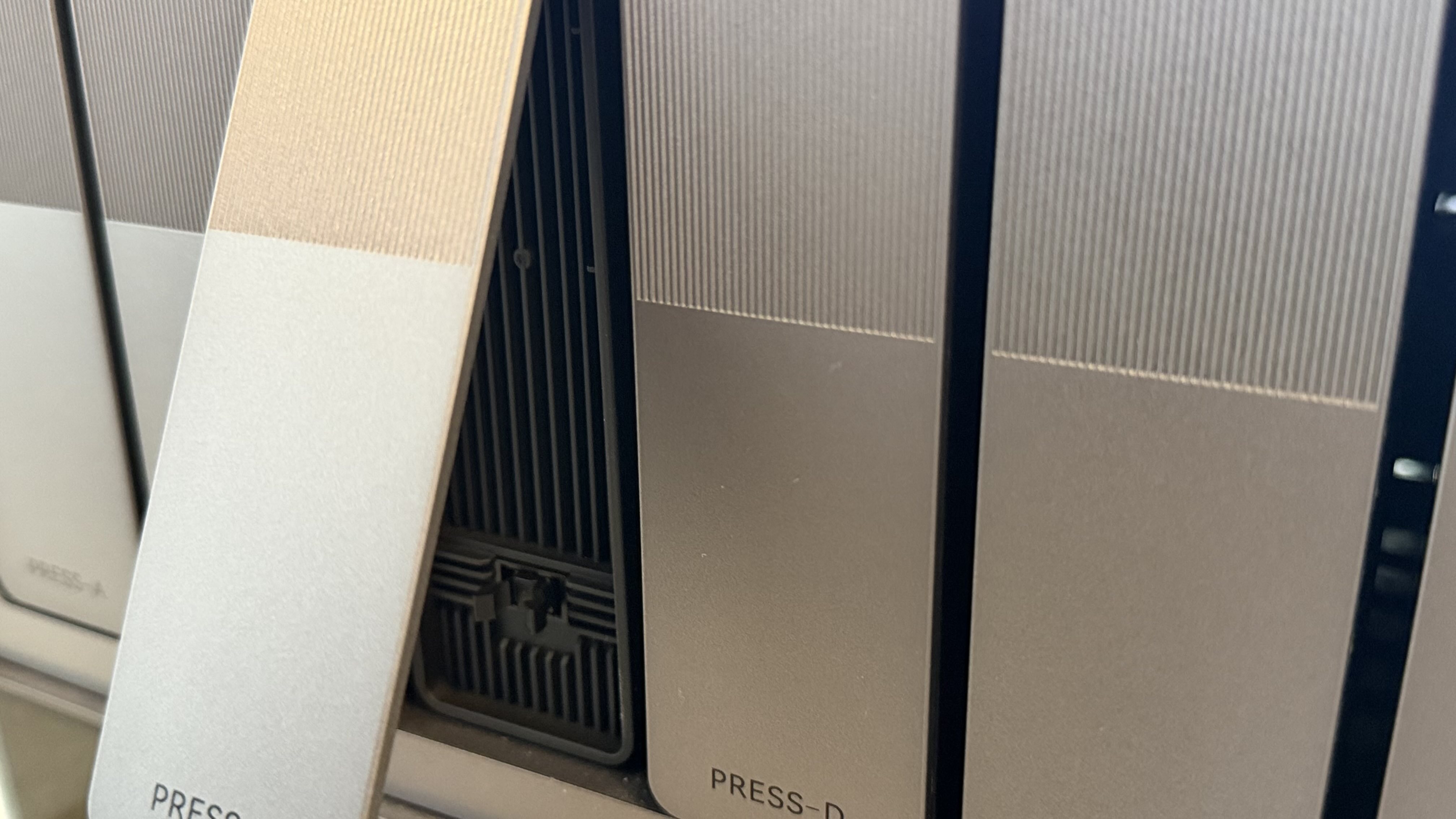
As with most NAS devices being released nowadays, the D6 features easy-to-remove drive bays.
For my own setup, I wanted something that would give me a sensible amount of usable storage while still protecting me against drive failure. A NAS is only useful if I can trust it, so redundancy matters more to me than simply squeezing out the maximum possible capacity. I wanted the D6 to replace a more cloud-focused workflow, so the storage setup had to be dependable. This was not just about having somewhere to dump files; it needed to become the centre of my local storage and business and personal backup strategy.
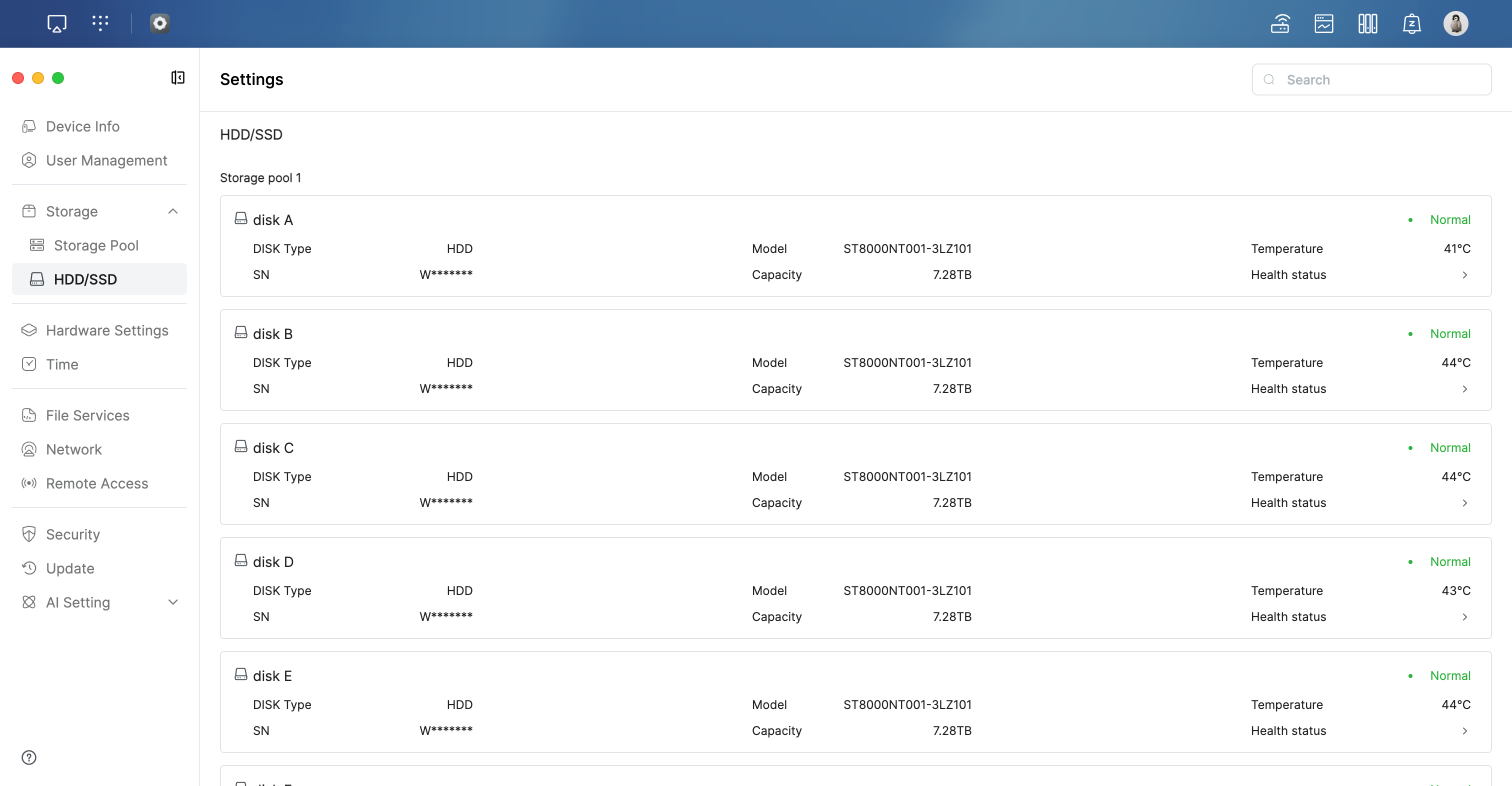
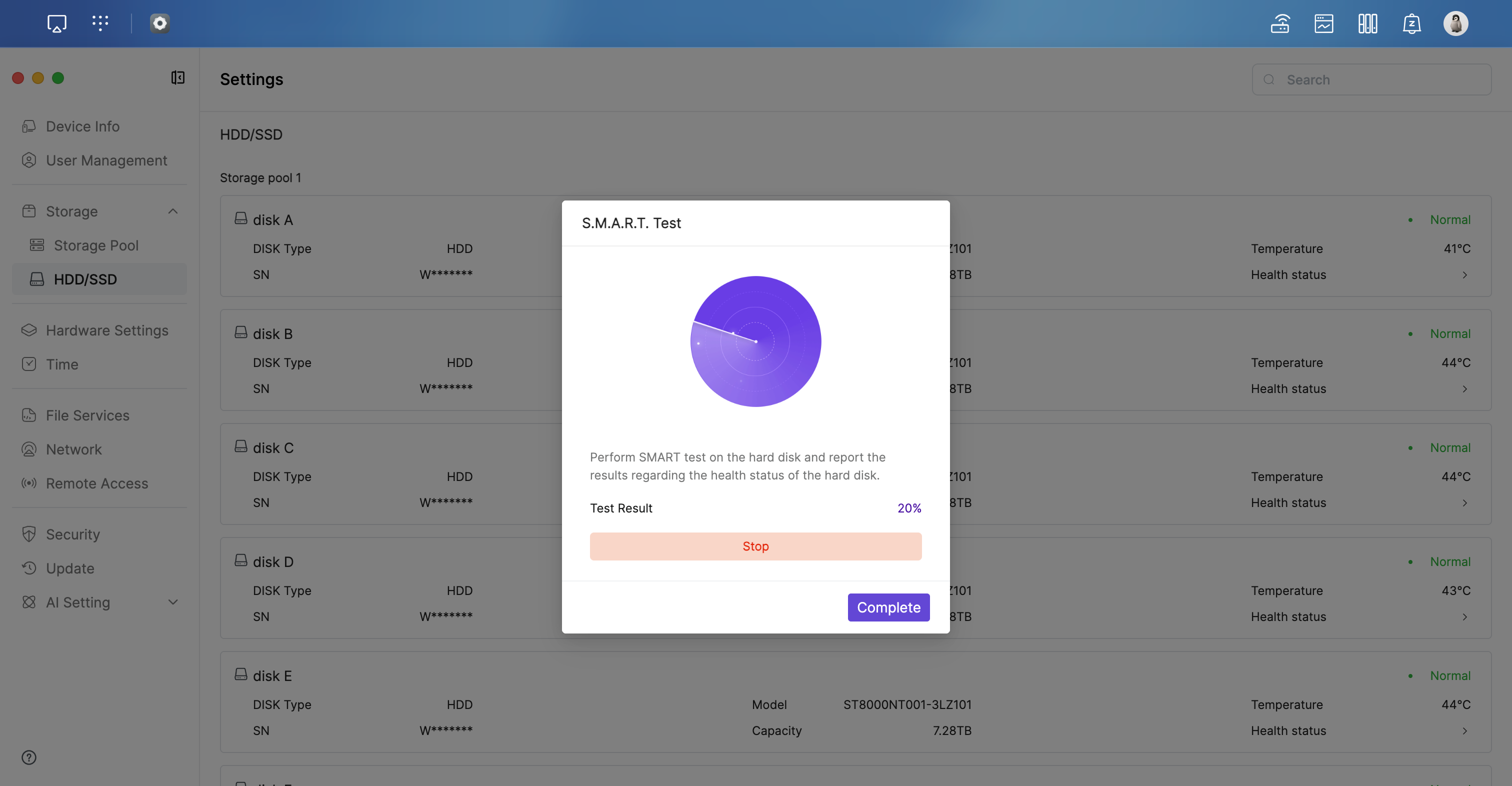
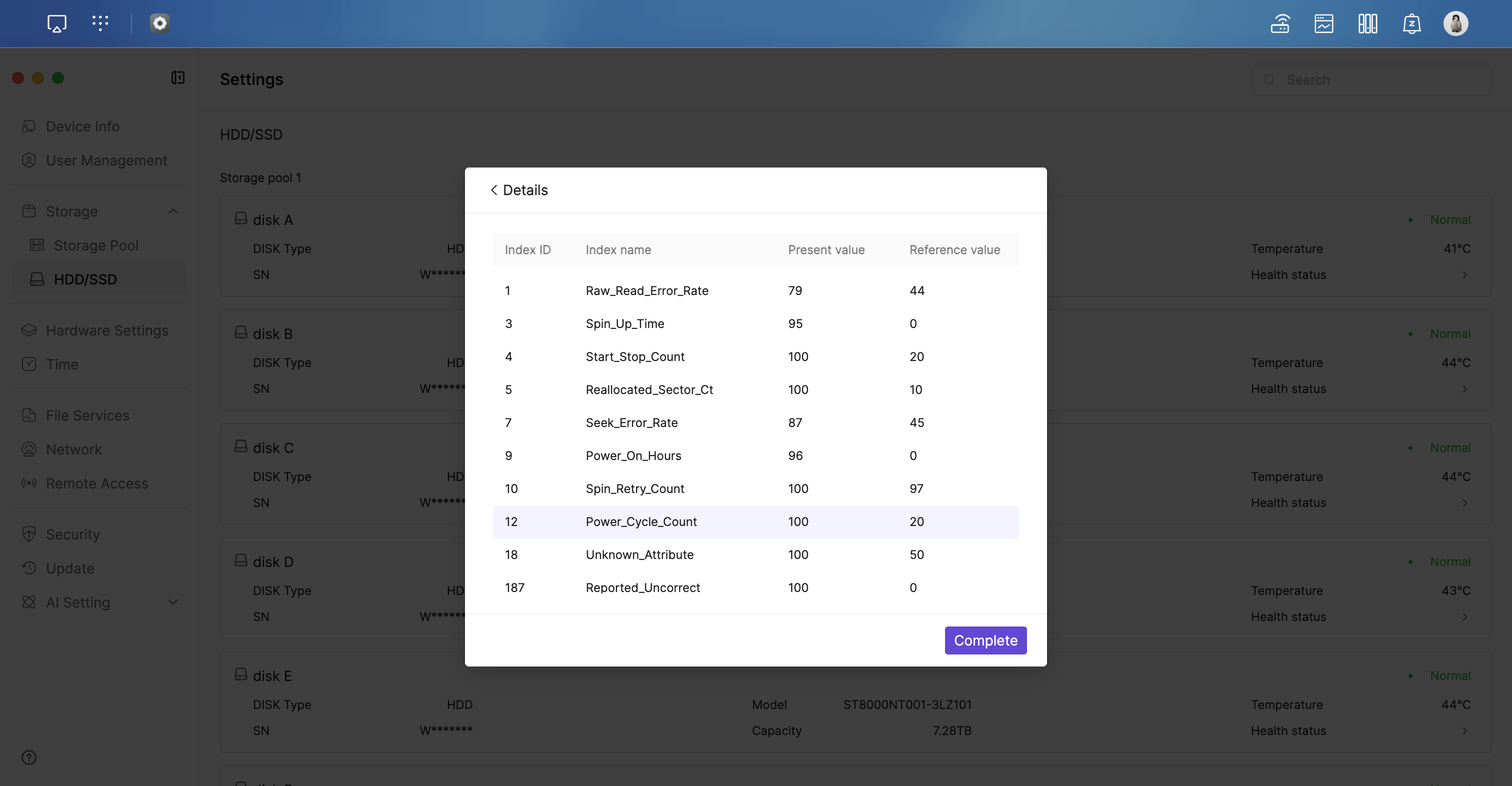
The system can build RAID arrays fairly quickly - it was around a five to ten-minute wait for me. I have six 8TB drives in my NAS. SMART monitoring is done through the user interface by a simple indicator next to the drive (Normal, meaning no SMART issues). The system also allows you to go into detail so you can see all the SMART indicators in depth. I will add that, given that I have only owned this for eight months now, I cannot comment on how quickly the system would rebuild the RAID array after a drive failure.
Performance
Performance is difficult to judge from specifications alone. A NAS can look good on paper, but still feel slow in everyday use if the software is poor, the network interface is limited, or background tasks interfere with normal file access.
In general use, the D6 feels responsive. Browsing folders, copying files, and accessing data across the network all feel quick enough for my needs. It is not trying to be a high-end workstation, and I do not think it needs to be. The Rockchip processor is clearly not the most powerful chip Zettlab offers, but that was never the point of this model. The D6 is about balancing performance, efficiency, and cost. For file storage, backups, and general home server duties (which it can do as it even has a Home Assistant Docker image), that balance makes sense.
The addition of 2.5GbE (and 10GbE on the Ultra models) is a welcome addition, given that many NAS devices around today still only feature 1GbE. In my opinion, however, the Rockchip is far too slow for frequent AI operations. It did manage to learn all of my 3.5 TB of files by early April, and at that point, the Rockchip justified itself, but then something happened.
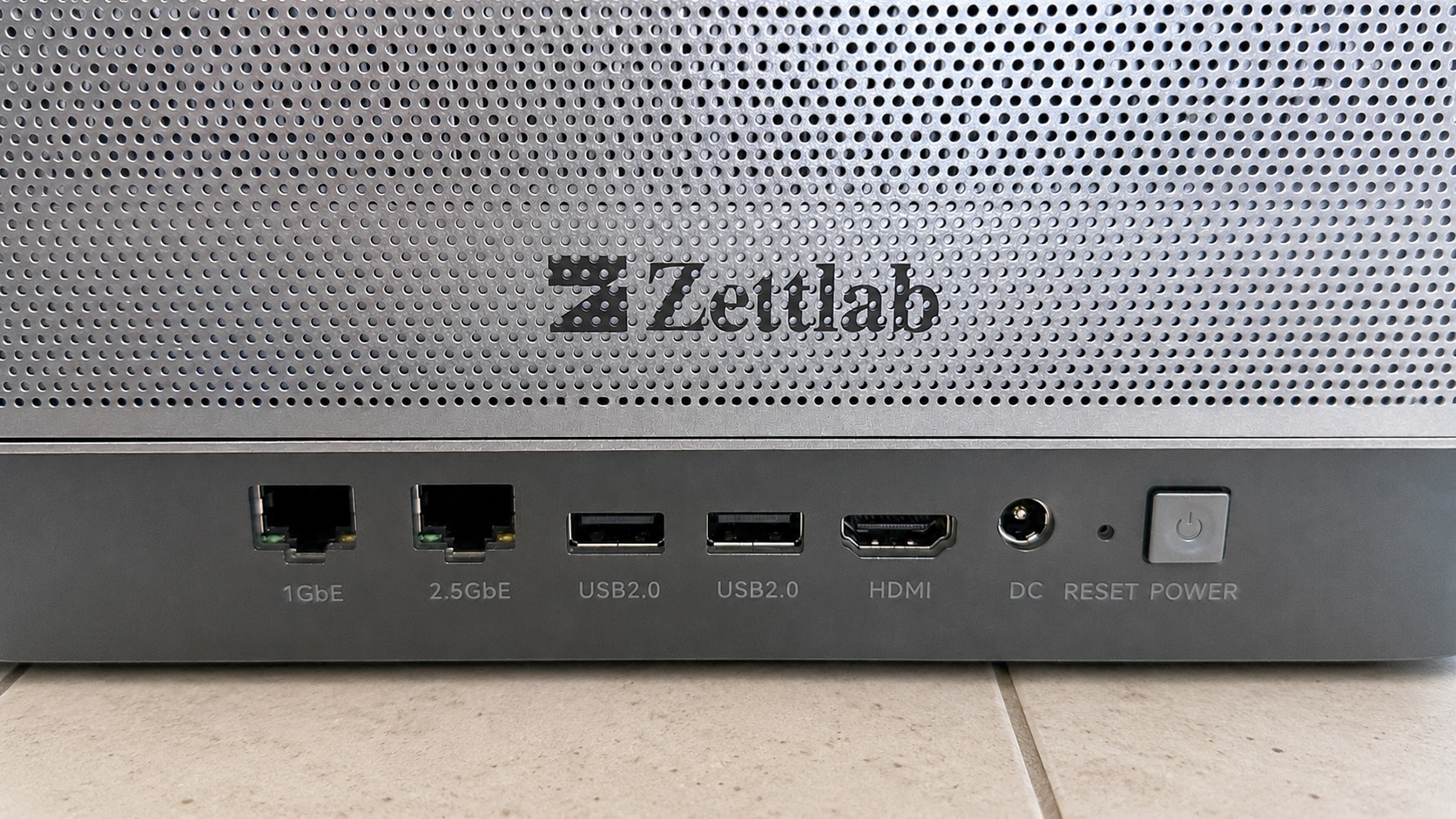
The rear of the device features two USB 2.0 ports, an HDMI port and one 2.5GbE and 1GbE port.
Noise, Heat, and Power Consumption
Since a NAS is usually left on all the time, power consumption is not a minor detail. It affects running costs, heat output, and where the device can realistically be placed in a home.
This is one of the main reasons I chose the standard D6 rather than the Ultra. The Intel version is undoubtedly more powerful, but I did not want a NAS that used more power than necessary for tasks I was unlikely to perform. The D6 has been easy to live with. It does not feel like a device constantly fighting to keep itself cool, nor does it dominate the room with fan noise. In day-to-day use, the drives are more noticeable than the NAS itself.
If you're using this device with spinning drives, it's best to keep it in an office or small, well-ventilated cupboard. If you're using it with a bunch of SSDs, then this thing would be silent and would suit any room in the house.
The following is coming soon!
| Idle power use | 0 |
|---|---|
| Active power use | 0 |
| Average drive temperature | 0 |
| Fan noise | 14dB |
Software Experience
Hardware is only half the story with a NAS. The software determines whether the device feels like a reliable appliance or a collection of promising but unfinished ideas.
The software is modern and generally pleasant to use. The interface is easy enough to navigate, and the main features are where I would expect them to be. It is clear that Zettlab wants this to feel like a polished consumer product rather than a barebones storage box. There are signs that the software is still young. Some areas do genuinely feel polished, while others could benefit from further refinement. This is not necessarily unexpected for a new platform, but it is something worth considering if long-term reliability matters to you. There are less polished features of the UI that frustrate me, and weird little anomalies such as the section called Remote Access being named remoteAccess (and this alternates between versions, so it was written like this in version 1.5 and not in 1.6, but back again for version 1.7).
Compared with established NAS ecosystems, Zettlab still has something to prove. Synology and QNAP have had years to mature their software, while Zettlab is entering a market where users expect regular updates, stability, and a strong app ecosystem. That is not where Zettlab is currently.
Back when version 1.5 came out, my NAS just failed and failed to update. I had to reach out to support. Thankfully, subsequent updates have succeeded without issue. The big one, however, was when I updated to 1.9, and ZettOS changed the file structure of my NAS. At this point, I was close to giving up on the device. This was what we call a breaking change in software. And it was, because the AI feature in the NAS had finished learning all these files, and then suddenly their paths had changed, and it had to start learning some 500,000 files again. That cost me a lot of money, and even in June, when I'm writing this, it still hasn't finished relearning these files.
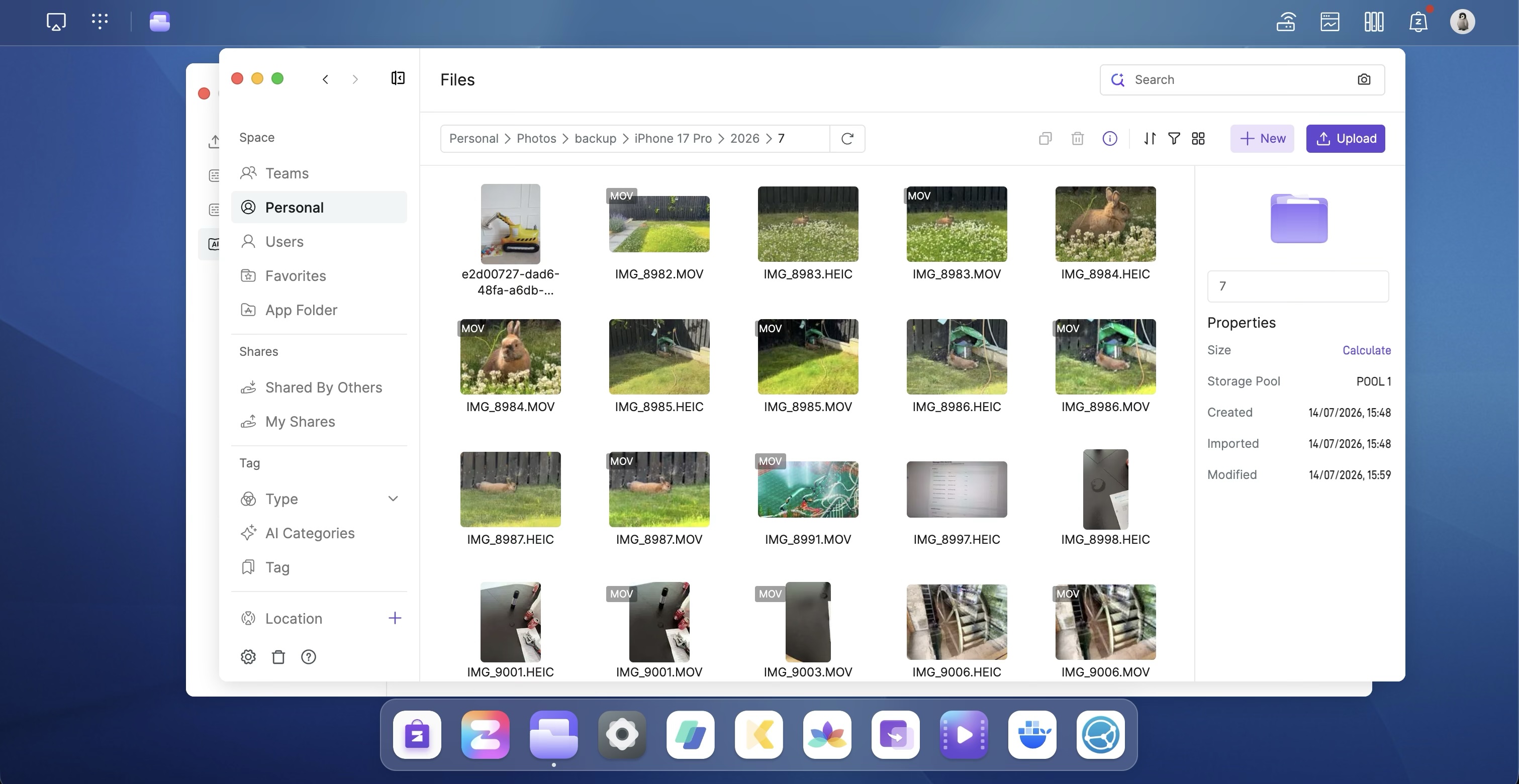
The software is intuitive enough for anyone.
Docker support is fab and really easy to use. I run a SyncThing Docker process to give me a more Dropbox-like experience, with a folder on my MacBook and GPD Pocket containing the most important files.
In addition to this. ZettOS goes through stages, from feeling really well-designed to the opposite way. What I mean (if you look at the image below, you'll see) is that the UI feels polished in some releases, but later feels like it was built very poorly.
The mobile app is now really good. But it hasn't always been. When I recently updated the app, the UI became much easier to use, with a bottom menu that lets you easily switch between Photos, Collections, and Backup. Previously, Backup was done through a plus button, where you could back up the photos to your NAS. The new way is so much easier and intuitive.
AI Features
The AI features are one of the main selling points of the Zettlab NAS range, and they are also one of the areas where expectations need to be managed carefully. AI branding is everywhere at the moment, and not every product that uses the term offers something genuinely useful.
I genuinely feel, however, that the AI features in this NAS are useful. Once it has learned all your files (and, as of version 1.10, you can restrict folders you don't want it to learn), finding things is easy. A quick search for 'rabbit' brings me photos of all four of our family rabbits throughout the years.
The general AI features for things like inference and questioning are limited, however, and most of the time require you to run an LLM on your own machine rather than on the NAS (not sure how this really works, but it does). This is not ideal, given that the NAS is advertised as focused on AI. There are other areas where AI can actually hinder the device, such as the constant, slow AI learning processing that runs in the background while the device is running. Not only does this affect performance (although ZettOS is good at stopping or pausing it whilst it is performing intensive work), but it also results in higher power consumption. There needs to be more focus on using AI features to save time, not just for searching. For example, I had hoped to use the AI to sort photos into albums for me.
One real pro I have to say for the AI is how accurate it is. For example, if I do a search for the word "mess" in my photos, I'll get the back garden of my parents' house when they were getting a conservatory, and that makes sense, the place was a mess with a fence all over the place and building materials sprawled over the grass and flower beds.
I don't think the AI feature feels gimmicky - I feel it's pretty solid and has been getting more useful as time goes on, and it processes more and more of my files.
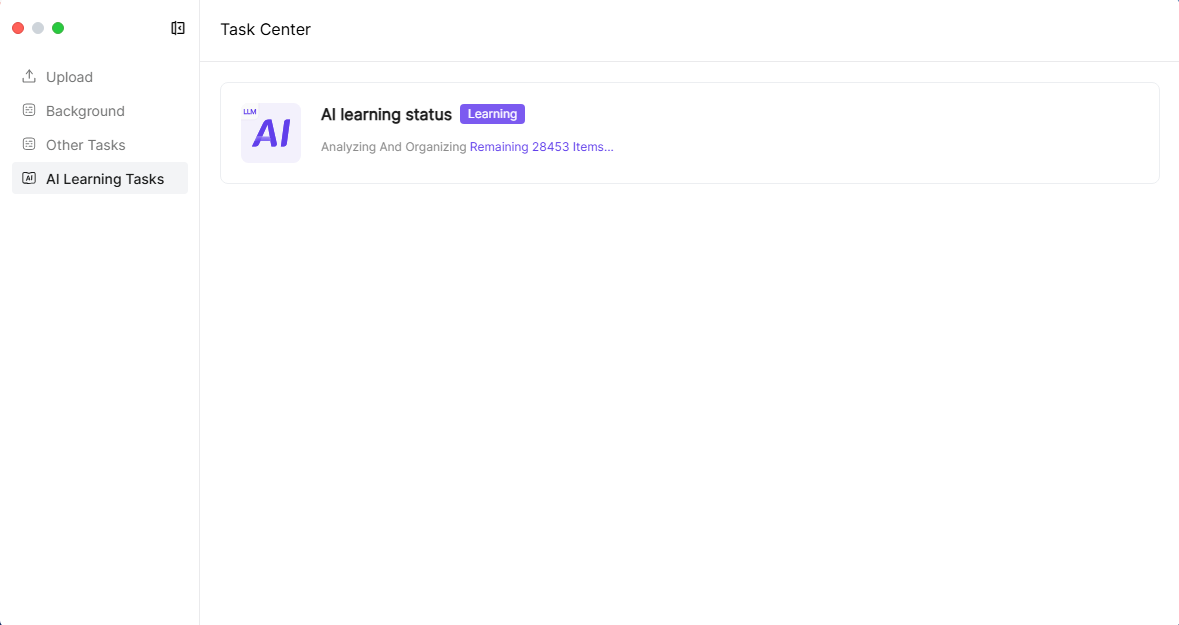
AI learning is slow on the Rockchip CPU, but it's well worth it.
Backups and Data Protection
For me, backup is one of the most important parts of this review. It is also the reason I moved away from my previous NAS setup years ago. A NAS without a clear backup strategy can quickly become a single point of failure.
That is why I have invested in two separate external drives. These drives are 18TB and 14TB in size - both of these are big enough to store everything I have at the moment, and between them will eventually cover the whole NAS. I use rsync to synchronise these backups with the NAS, ensuring accuracy and efficiency. And since the most recent version of ZettOS, version 1.10, SSH has been available, making it even easier to manage your NAS (though I think SSH should have been there from the beginning).
I have to be honest, moving from Dropbox and cloud storage to a NAS introduces the potential for a single point of failure. A NAS is not a backup strategy unless the NAS itself is backed up. RAID and redundancy protect against a single drive failure (or in RAID 6, two drives), but they do not protect against deletion, corruption, theft, fire, or user error. It is important that, if you decide to go down the route of getting a NAS like the Zetlab D6, you maintain a clean backup strategy and that backups are actioned regularly.
I personally use an 18TB USB drive to back up my NAS weekly, running rsync on the machine (even easier to do now that SSH has been enabled). I then have an off-site backup at my parents' place that gets updated once a month. This is the kind of backup strategy everyone should have in order to prevent data loss. I currently do not take snapshots of the system, as there's no easy way for me to do this with 5.5 TB of data.
Media and Everyday Use
A NAS often becomes more than just a backup destination. Over time, it tends to become a central place for documents, photos, videos, software, and shared files across different devices.
In everyday use, the D6 works well as a central storage hub. Having local access to my files again feels reassuring, especially after relying heavily on Dropbox for so long. The convenience of cloud storage is hard to deny, but there is something satisfying about having control over my own files and knowing exactly where they are stored. For media storage, the D6 has enough flexibility to act as a home media server, although the experience will depend heavily on the apps and services you choose to run.
I run a DLNA server on the device, but I have noticed that it does not allow me to share most MP4 files. I also tried an AVI file on my Samsung TV, but again, no luck. I haven't looked into this much to figure out what is going wrong with the system or TV, but it's more than likely due to the MP4 file format.
After reviewing this, switching DLNA on and off finds new files to share, so all my MP4 files are shared correctly, making this an excellent DLNA server.
Theatre, the built-in movie viewer, is pretty decent. You can install additional apps, including Plex, so there's also plenty of flexibility within the NAS.
Reliability
Reliability is difficult to judge fully after only a limited period of use, but early impressions still matter. A NAS should be boring in the best possible way: it should sit there, stay online, and quietly do its job.
So far, the D6 has been stable in normal use. It has not felt fragile or temperamental, and I have not found myself constantly worrying about it falling over. The hardware feels excellent, but long-term reliability will depend on software updates, drive handling, thermal management, and Zettlab's support. Early signs may be positive, but a NAS is a long-term device.
I've had no crashes, and uptime can be very long. Currently, I've had mine up for just 7 days, but in the past, I've experienced months with no issues (the uptime is only 7 days because I powered it down whilst I was away for a week). In addition to staying up, there have been no times when it's been impossible to access the NAS. One thing I would really love, however, is Wake-on-LAN capability.
Things I Like
- Excellent physical build quality.
- Solid aluminium chassis.
- Six drive bays in a compact design.
- Cool and efficient Rockchip-based system.
- 2.5GbE networking is enough for my current setup.
- Good range of connectivity options.
- Potentially useful local AI features.
- Helps move away from cloud dependency.
- I have no concerns that Zettlab will keep on improving the device, but they also need to be cautious with this
Things That Could Be Better
- The software needs polish - it's not a finished product yet.
- Backup isn't great - Rsync even seems fairly constricted.
- No SSH access - this has since been added.
- The mobile app is often very slow, and backing up photos on it is a pain.
Conclusion
The Zettlab D6 makes the most sense for users who want a modern, efficient NAS with strong hardware design and enough performance for home storage, backups, media, and self-hosted services. This is not necessarily the NAS I would recommend to someone who wants the safest, most established ecosystem possible. For that, Synology remains the obvious choice.
However, for users willing to try something newer and more ambitious, the D6 is genuinely interesting. I think the D6 is best suited to technically confident home users who want local storage, care about power efficiency, and are interested in where AI-assisted NAS devices might be heading.
Overall, the Zettlab D6 has made a strong impression. The hardware is excellent, the design is thoughtful, and the performance is well-suited to my needs. It is not perfect, and the software ecosystem still needs time to mature, but as a first serious step away from cloud storage, it has been a very encouraging device.
It's also obvious that the D6 is not simply another generic NAS. Its build quality, efficiency, and feature set make it stand out, particularly for users who want something more modern than the traditional black plastic NAS boxes that have dominated the market for years.
Would I buy it again? At this stage, yes, although with the usual caution that comes with any new platform. The hardware gives Zettlab a strong foundation. The real question now is whether the company can continue to improve the software and support the device over the long term.
For my needs, the D6 feels like the right choice. I did not need the extra power or power consumption of the Ultra, and the standard model gives me the balance I was looking for: efficient hardware, plenty of storage, solid connectivity, and a path away from cloud dependency.
If Zettlab continues to improve the software and properly supports the platform, the D6 could become one of the most interesting NAS devices in its class. I have no concerns that Zettlab will keep improving the device, but they also need to be cautious with this.
- Excellent physical build quality
- Solid aluminium chassis
- Six drive bays in a compact design
- Cool and efficient Rockchip-based system
- 2.5GbE networking is enough for my current setup
- Good range of connectivity options
- The modular part of the Pocket 4 is definitely a beneficial and clever design
- Potentially useful local AI features
- Helps move away from cloud dependency
- The software needs polish - it's not a finished product yet
- Backup isn't great - rsync even seems fairly constricted
- No SSH access - although the latest update intends to add this
- The mobile app is often very slow, and backing up photos on it is a pain

There are no comments on this page.
Comments are welcome and encouraged, including disagreement and critique. However, this is not a space for abuse. Disagreement is welcome; personal attacks, harassment, or hate will be removed instantly. This site reflects personal opinions, not universal truths. If you can’t distinguish between the two, this probably isn’t the place for you. The system temporarily stores IP addresses and browser user agents for the purposes of spam prevention, moderation, and safeguarding. This data is automatically removed after fourteen days. Your email address is stored so that replies can be sent to your email address.
Comments powered by BalfComment